Ticketing in the field
Move from paper to a faster, guided ticketing workflow. Select an offence, capture vehicle and location details, then review and submit without re-entering the record in the office.
MOBILE WORKSPACEBUILT FOR MUNICIPAL ENFORCEMENT
Replace the paper workflow. Bring ticket details, evidence and office records into one connected workspace, with offline drafts that support the way your team already works.
One connected workspace. From the first observation to the final record.
A CONNECTED VIEW
A clear picture of your team's activity.
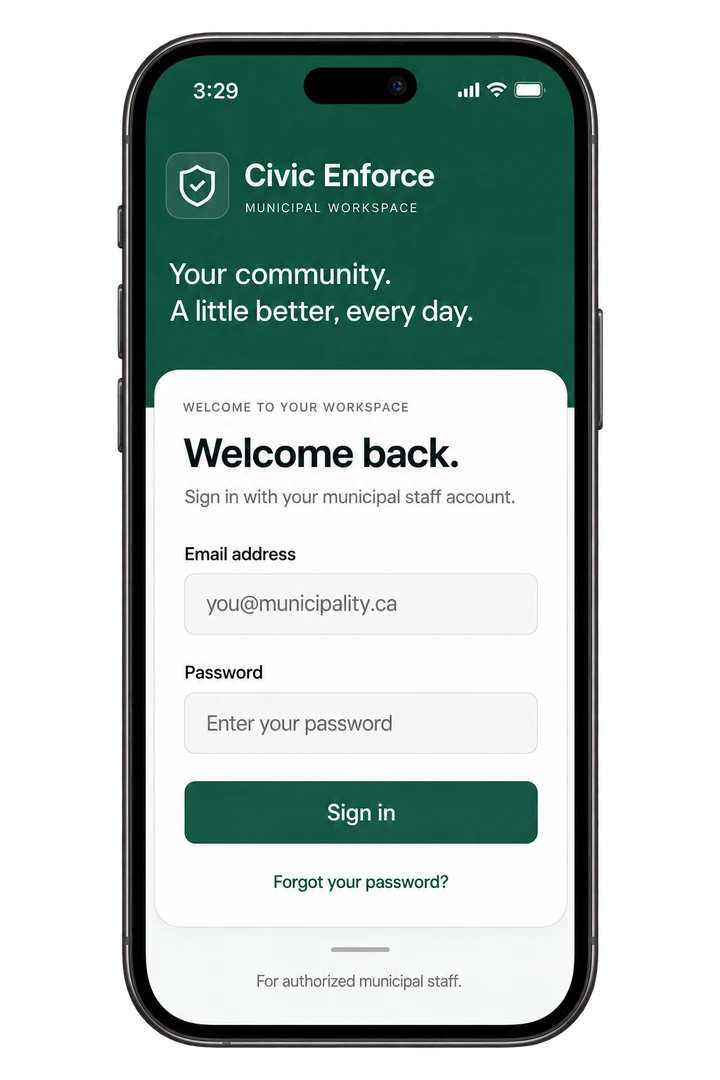
Built around the people
doing the work.
A WORKSPACE THAT WORKS TOGETHER
Move from paper to a faster, guided ticketing workflow. Select an offence, capture vehicle and location details, then review and submit without re-entering the record in the office.
MOBILE WORKSPACELocation-enabled ticketing keeps recorded GPS coordinates and photographs with the record, so staff can see where a ticket was captured in the mobile app or staff portal.
PHOTOS + LOCATIONSPrint in the field with a compatible Bluetooth handheld printer. Clear tickets include your municipality's logo and a configurable QR link to its payment page.
MUNICIPAL BRANDINGFind tickets, review status and understand activity across your team. Analytics by officer and offence, date filters and CSV exports give municipal staff a clearer view of enforcement.
REPORTING + EXPORTSManage officers, staff access and offence catalogues from the municipal workspace, with permissions for different responsibilities.
STAFF + OFFENCESSave drafts when connectivity is limited. Submit when connected, with confirmed ticket numbers and clear submission status.
OFFLINE DRAFTSCONNECTED FROM START TO FINISH
Keep the observation, the issued ticket and the office record connected. Support your existing by-law process, with less time spent piecing the story together.
Made for municipal teamsSelect the offence, enter the vehicle and location, and add notes or photographs in the field.
Review the record and submit it when connected. Once confirmed, print the issued ticket with a compatible Bluetooth handheld printer, or download the matching PDF.
Find the record, review evidence, record an external payment or void a ticket with the appropriate staff permissions.
Review activity by officer and offence, filter your reports, and export the records your team needs.
FOR THE TEAMS BEHIND YOUR COMMUNITY
A mobile workflow for ticket details, evidence and printing, with saved drafts when you need them.
A searchable register, ticket evidence and clear status information in one place.
Staff permissions, offence management and reporting that help you understand the day's work.
A CLEAR RECORD. A DEFINED RESPONSIBILITY.
Municipality-scoped access, staff permissions and recorded ticket history support accountable day-to-day work. Issued ticket details retain their original record.
A FEW THINGS TO KNOW
Civic Enforce is designed for municipal parking enforcement teams in Ontario, including field officers, office staff and supervisors. Municipalities should review their own operational, privacy and legal requirements before rollout.
The mobile workspace supports ticket preparation, photographs, recorded GPS and printing. Drafts can be saved when offline; a ticket is confirmed issued only after successful submission when connected.
Yes. Municipal administrators can configure a logo and a public payment-page link. Outstanding ticket prints can include a QR code to that page. Civic Enforce records external payments; it does not process payments.
Officers can print tickets in the field using compatible Bluetooth handheld printers. Mobile printing uses the Brother SDK. Printer model, paper settings and device compatibility should be validated for your deployment. Web downloads use the same 102 mm ticket layout as the corresponding mobile print profile.
The future customer workspace will be at app.civicenforce.com. Customer access is not open yet. Request a demo to discuss your municipality’s workflow. This public website does not provide access to municipal ticket records.
A LITTLE BETTER, EVERY DAY.
See how Civic Enforce can replace your paper workflow and connect your field and office teams.